


same app, just in your language
download or update the app
then set the language you need — it's really simple, see below →
join beeline and get unlimited internet, plus calls to the cis and asia for 1 ₽ a minute
для тех, кто много разговаривает и сёрфит в интернете • bee HIT

how a foreigner can get a SIM card
prepare your documents
1
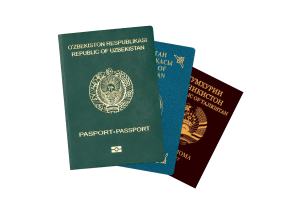
original passport
and its certified translation — you can get it at a translation bureau
2
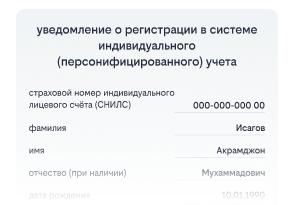
SNILS (СНИЛС)
get it at the MFC (МФЦ), the Russian Social Fund, or through your employer — you'll need your passport and its certified translation
3

email address
create it in advance — the address must end in .ru
4

an account on Gosuslugi
create it and confirm it at the MFC
5

biometric data — voice and face
submit it at any Russian bank
come to a Beeline store — we'll help you get everything set up
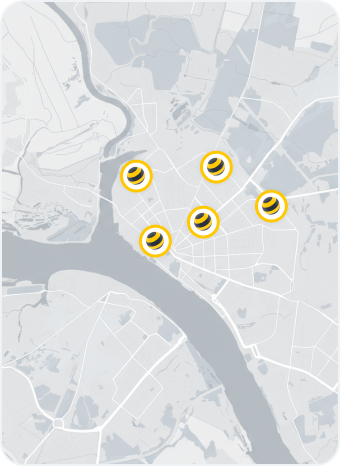
Beeline stores
about money transfers and IMEI





frequently asked questions
about this page's translation
What does a foreign citizen need to buy a SIM card in Russia?
- An identity document:
- for a foreign citizen — a foreign citizen's passport
- for a stateless person — a residence permit (VNZh), refugee certificate, certificate of temporary asylum in the Russian Federation, or temporary residence permit
- A notarised translation of the foreign citizen's passport. To get one, contact:
- a notary — get the translation done by a translator they recommend and have the document notarised
- a translation bureau
- SNILS (СНИЛС — personal insurance account number). If you don't have one yet, apply for it — it's usually ready right away, but it can take up to 5 business days. Apply through the Social Fund of Russia (SFR), an MFC office (МФЦ), or your employer, with:
- your passport and its notarised translation into Russian, or a document confirming the identity of a stateless person
- an email address you have access to
- The email address listed on Gosuslugi. It's important that you have access to it
- A verified Gosuslugi account
- Verified biometrics in the Unified Biometric System (EBS). It must be registered at a bank
- Your device's IMEI number
How do I buy and activate a Beeline SIM card?
- Prepare the documents and information you need
- Register on Gosuslugi — you'll need a verified account
- Register your biometrics at a bank
- Go to a Beeline store [LINK to store finder]. Bring your documents
At this stage, staff will check how many SIM cards are already registered to you. If you already have more than 10, they won't be able to issue a new one
- Confirm your identity with biometrics to activate the SIM card — look at the camera following the staff member's instructions. You can also do this yourself on Gosuslugi. If it doesn't work, staff will explain what to do next
Your SIM card will be activated within a few minutes.
How many SIM cards can a foreign citizen have registered in their name?
Can I buy a SIM card online?
Why are internet and SMS disabled for 24 hours after arriving in Russia?
Can I move the SIM card to another phone or SIM slot?
A SIM card only works in the device whose IMEI is listed in your contract with Beeline. If the IMEI in the contract doesn't match the device's IMEI, the number will be blocked.
To use the SIM card in a new device or SIM slot, you need to update the IMEI in the mobile app or at a Beeline store. After changing the IMEI, you'll need to complete biometric verification on Gosuslugi.


